
 0
0


- Home
- DIGITAL SOLUTIONS
Smart Factory Solutions Across Production Stages
Digital tools across fabric inspection, planning, spreading and quality control—from connected production data to on-floor applications.

Some Solutions Connect Data.
Others Support the Production Floor Directly.
OSHIMA's digital solutions do not all need to be connected to one another. EagleAi® and SPro provide their own complete machine functions and can be used independently, while supported configurations can also connect to the Smart Factory Platform.
PlySight™ extends EagleAi® inspection data into pre-spreading planning. SPro Projection brings cut-file information directly to the spreading floor and can also display recorded defect locations when EagleAi® data is available. PDP-2000 is a separate post-cutting, pre-sewing QC application that uses the original Cut File as the cut-piece comparison reference.
Smart Factory Platform
One platform for connected production equipment, machine information and digital applications.
- Live production — view current connected production activity.
- Job orders — review and manage supported job information.
- Machine status — see equipment and operating status.
- Production statistics — review machine, job and operator information.
- History & records — access previous production information.
- Connected applications — extend available data into tools such as PlySight™.
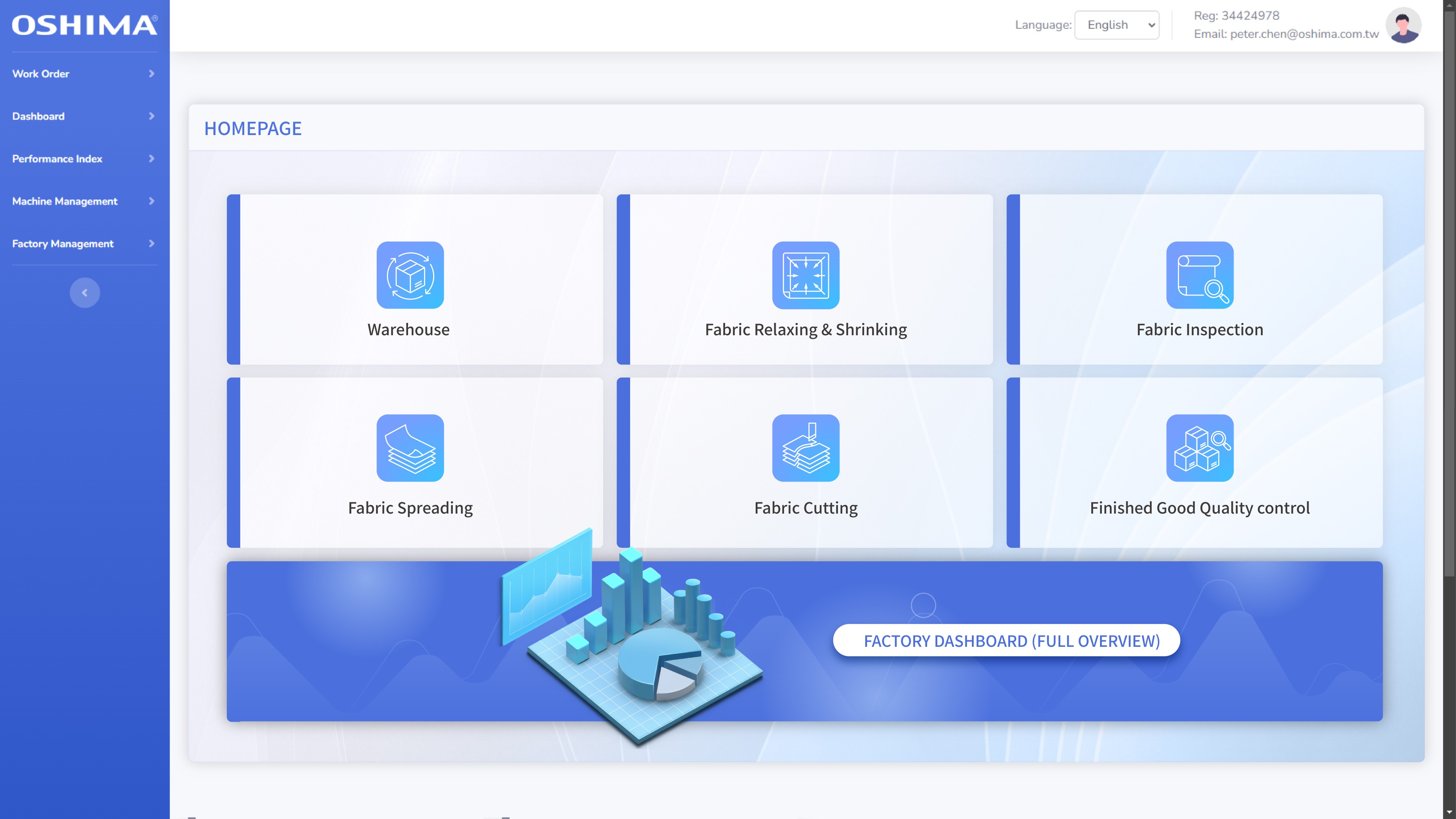
A centralized view of supported production equipment, records and connected applications. Available modules depend on the equipment and system configuration in use.
Solutions Across Fabric Production
Different equipment and applications address different parts of production. Some use connected production data, while others bring digital information directly to the production or quality-control station.

EagleAi® Smart Inspection
AI-assisted fabric inspection with digital defect records, defect mapping, reporting and inspection data.
Explore EagleAi®
PlySight™
Combine EagleAi® defect data with marker files, selected fabric rolls and lay requirements to review potential defect impact before spreading begins.
Explore PlySight™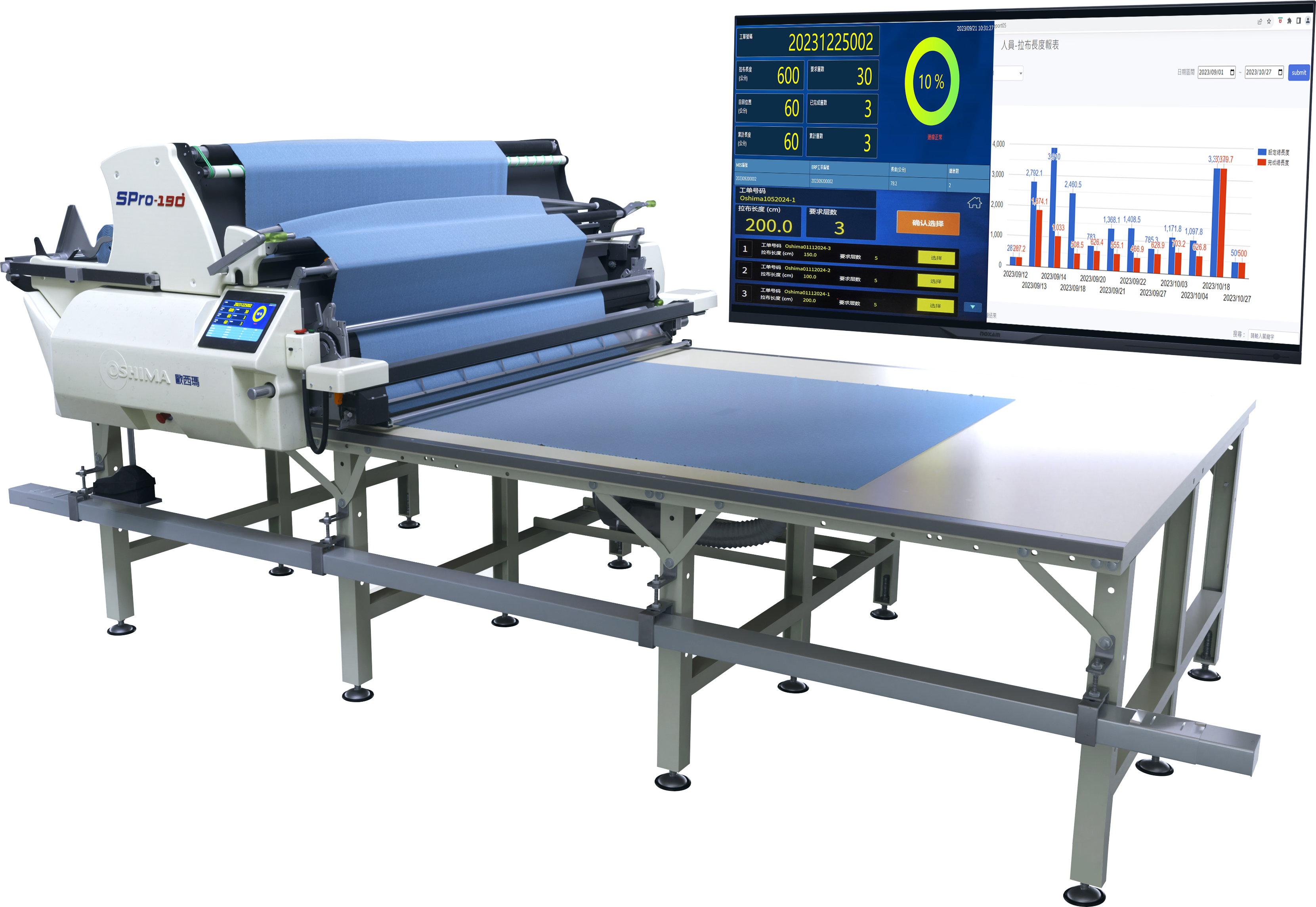
SPro
Automatic fabric spreading with connected production monitoring, job information, statistics and machine visibility available through Smart Factory.
Explore SPro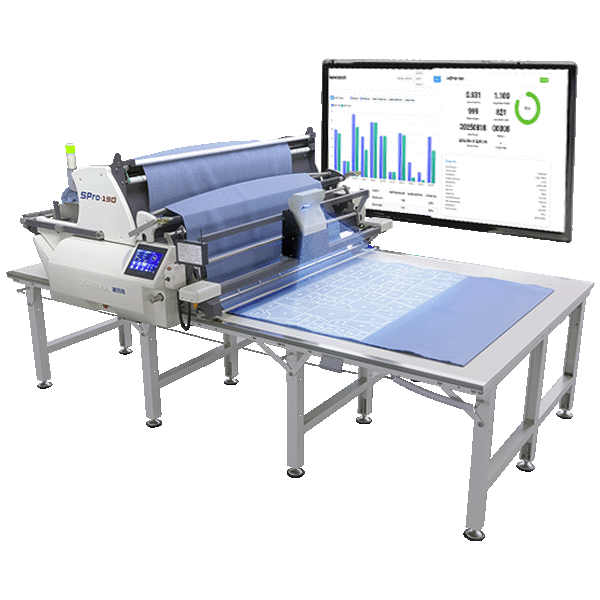
SPro Projection
Project cut-file information directly onto the fabric as a visual reference during spreading. When EagleAi® data is available, recorded defect locations can also be displayed.
Explore SPro Projection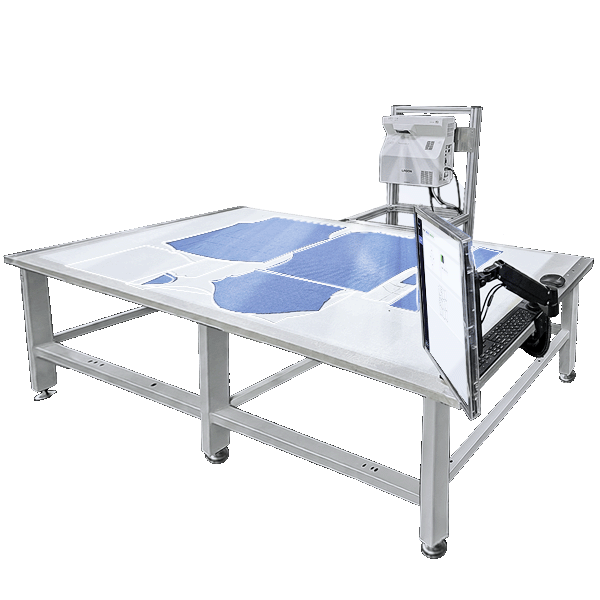
PDP-2000 Digital Cut-Piece QC
Project cut-piece outlines from the original Cut File onto the QC table for direct comparison after cutting and before sewing.
Explore PDP-2000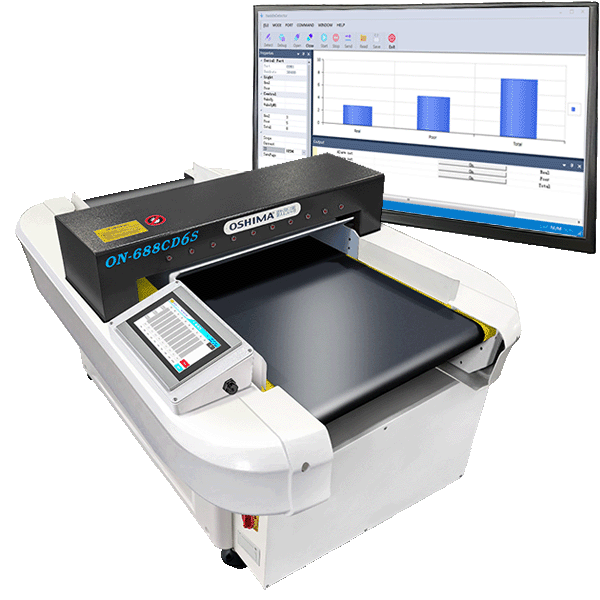
IoT Needle Detection
Perform needle detection as an independent quality-control process, with supported detection and production information also available through Smart Factory.
Explore Needle DetectionFrom Inspection and Planning to Spreading and Post-Cutting QC
One current connected-data workflow extends fabric-roll and defect information from EagleAi® inspection into PlySight™ pre-spreading planning. During spreading, SPro manages spreading and IoT production information, while SPro Projection can display cut-file information on the fabric and add recorded defect locations when EagleAi® data is available. After cutting, PDP-2000 is a separate QC application that uses the original Cut File for cut-piece comparison before sewing.
Inspect fabric and record roll information, defects and their locations.
Keep supported inspection and production data available for compatible digital applications.
Combine recorded defect data with the marker, selected fabric rolls and spreading requirements to preview potentially affected cut pieces and plies.
Carry out automatic spreading while using built-in IoT functions to review job, machine and production information.
Project cut-file information onto the fabric; when EagleAi® data is available, recorded defect locations can also be displayed.
After cutting and before sewing, project cut-piece outlines from the original Cut File onto the QC table for direct comparison.
SEPARATE QC APPLICATIONSee Which Cut Pieces and Plies May Be Affected Before Spreading
PlySight™ combines EagleAi® inspection data with the planned marker, selected fabric rolls and spreading requirements, allowing planners to review where recorded fabric defects may overlap with planned cut pieces or plies before spreading begins.
Load the marker and related cut-piece information planned for the lay.
Review the planned roll sequence, fabric coverage and splice positions for the spreading job.
Apply defect-location data recorded by EagleAi® to the simulated plies in the planned lay.
Preview which cut pieces or plies may overlap with known defect locations before actual spreading begins.

PlySight™ uses recorded defect positions from inspected fabric rolls to preview their possible impact on the planned lay.


Examples of defects recorded during EagleAi® inspection.
Project Digital Information onto the Actual Fabric
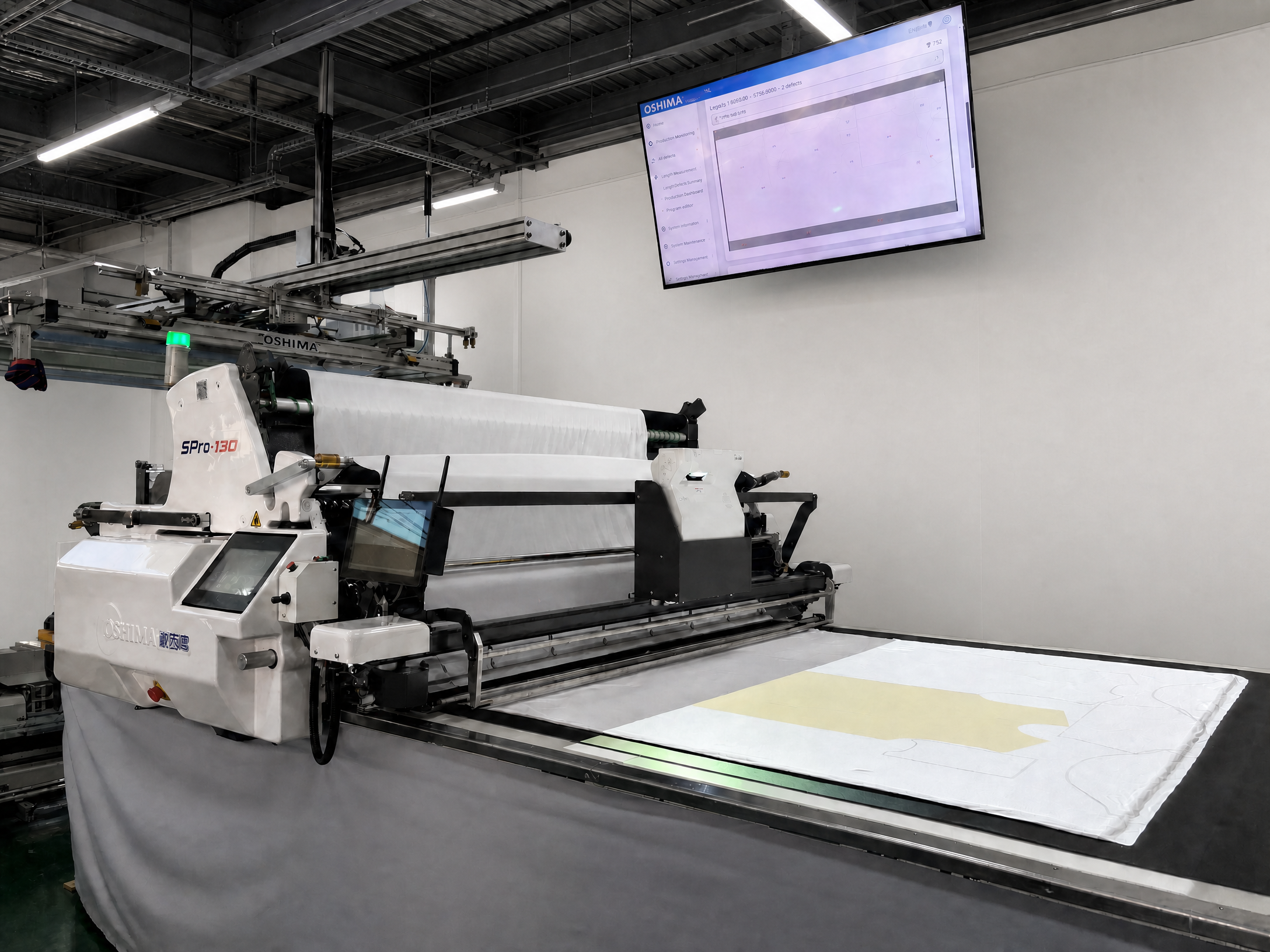
SPro Projection can display cut-file information directly on the spreading area, allowing operators to view the projected information on the actual fabric as a visual reference while spreading is in progress.
Project cut-file information directly onto the fabric for operators to use as a visual reference during spreading.
When the factory is also equipped with the EagleAi® Smart Inspection System, recorded defect-location data can also be displayed on the corresponding fabric area.
Operators can view the projected information directly on the fabric and use it for visual checking and on-floor adjustment when required.
Use Digital Patterns for Cut-Piece QC Before Sewing
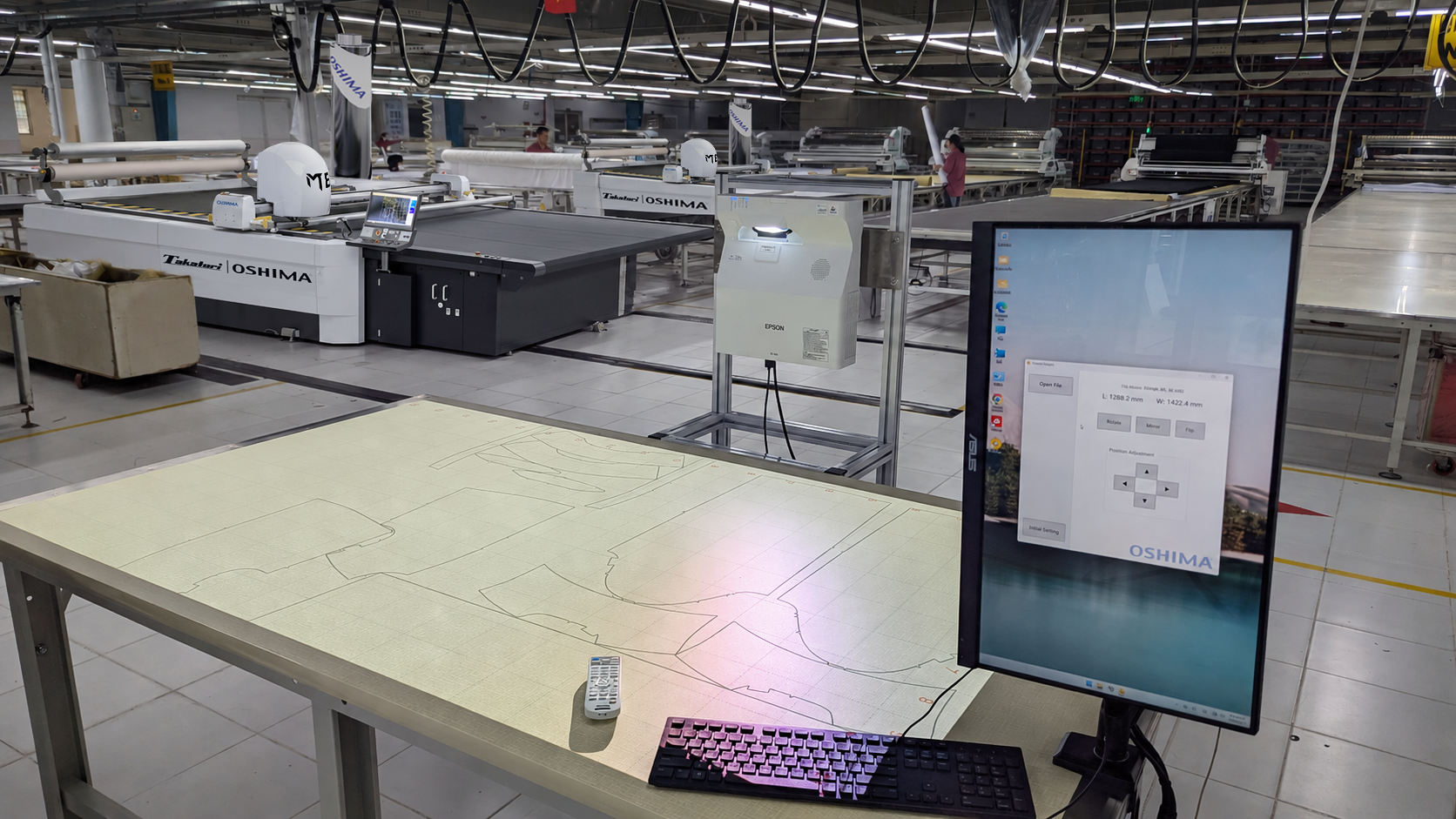
Unlike SPro Projection, which is used during spreading, PDP-2000 is a separate QC application used after cutting and before sewing. It projects cut-piece outlines from the original Cut File onto the QC table so actual cut pieces can be placed directly against the projected outline for comparison.
Project the cut-piece outline from the original Cut File onto the QC table as a visible reference for size and shape.
Place the finished cut piece in the projection area and compare it directly with the digital outline.
Use sampling or piece-by-piece inspection according to the factory's existing QC procedure, while reducing the need to prepare a physical paper pattern for each comparison.
Start with the Equipment You Need
Not every digital tool needs to be connected. EagleAi® and SPro can perform their core machine functions independently and can also connect to the Smart Factory Platform in supported configurations. SPro Projection can use cut-file information as a visual reference during spreading, with EagleAi® adding recorded defect-location projection when available. PDP-2000 is a separate post-cutting QC application that uses the original Cut File for cut-piece comparison.
Factories can introduce the equipment or application needed for the current process first. When broader production visibility or additional use of machine data becomes useful, supported equipment and applications can then be connected or expanded according to the existing production setup.
Use the Equipment Independently
The machine performs its core production function without requiring the Smart Factory Platform.
- Full machine operating capability
- Keep the existing factory workflow
- Introduce automation where it is needed
- Use the machine as an independent system
Extend How the Data Is Used
Connect supported equipment when the factory wants broader visibility or wants production information to continue into another application.
- Centralize selected machine and production information
- Review status and records across connected equipment
- Use available data in connected applications where supported
- Add connected functions as requirements develop
Digital Tools for Different Process Needs
Some applications extend machine and inspection data, while others support work directly on the production floor or at the QC station. OSHIMA Digital Solutions cover AI fabric inspection, pre-spreading planning, smart spreading, SPro Projection, post-cutting cut-piece QC and needle detection. Factories can select the equipment and applications that fit their process, then connect supported equipment to the Smart Factory Platform where useful.